
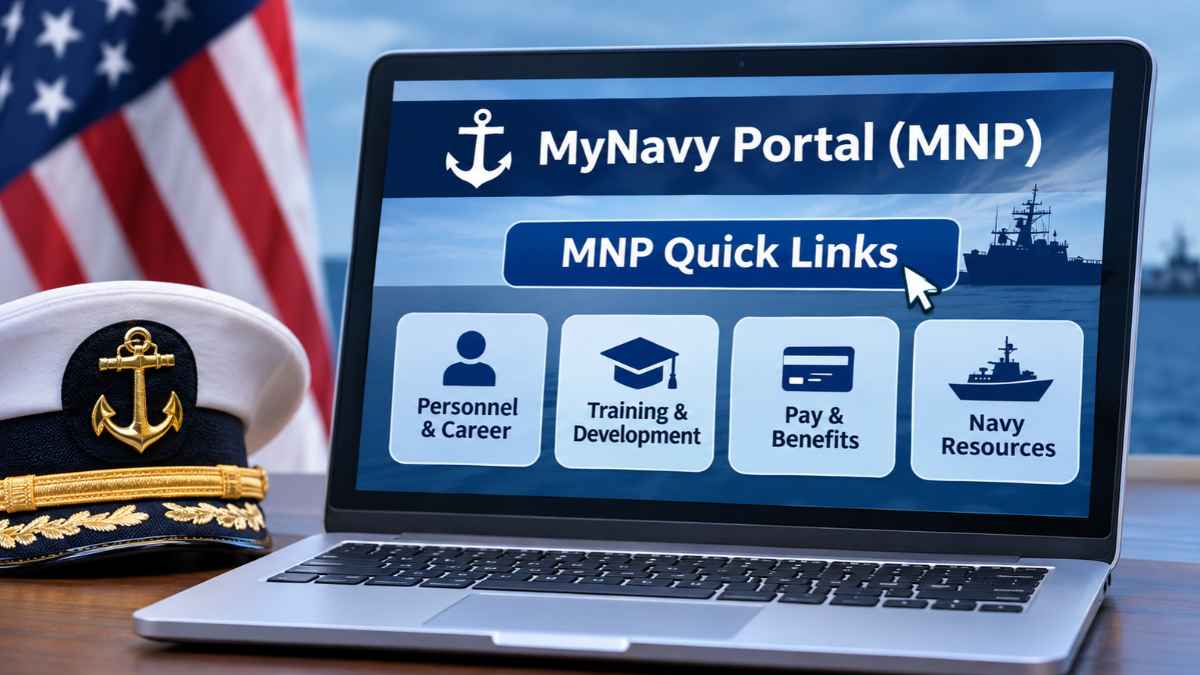
What Does MNP Quick Links Mean?
MNP stands for MyNavy Portal in this context, while Quick Links refers to the portal’s central collection of shortcuts to Navy-related websites, applications and information resources. The official MyNavy Portal Quick Links page is designed to help users locate frequently needed systems without searching across multiple websites individually. It is a navigation feature within the Navy’s broader digital human resources environment, rather than a separate Navy department or standalone software product.
What Is MyNavy Portal?
MyNavy Portal is a US Navy digital platform that provides Sailors with access to human resources information, career guidance, administrative tools and related services. It brings together resources that support personnel throughout different stages of their Navy careers, including training, assignments, pay and professional development. The portal’s homepage acts as a starting point for navigating these services, while its Quick Links area provides a more direct route to specific applications and resources.
How MNP Quick Links Works
A Central Directory of Navy Resources
The Quick Links feature operates as a searchable directory of resources. Official MyNavy Portal information describes an expanded database containing hundreds of links, organised into categories that help users find relevant services. Rather than relying only on a fixed list of shortcuts, users can search by keyword and explore links grouped around popular resources or career-related activities. The directory is maintained and updated according to user needs and feedback.
Search and Category Filters
The portal’s search and filtering options help narrow down resources when users do not know the exact name of a system. A keyword search can be useful when looking for a particular application, personnel service or training resource, while category filters help organise results by subject. This structure is especially helpful for users who recognise the task they need to complete but are unfamiliar with the official name of the relevant Navy system.
Quick Links Classic
Some users may be more comfortable with the earlier layout of the Quick Links page. MyNavy Portal provides a Classic view for those who prefer the previous presentation. This option helps maintain familiarity while the newer directory offers expanded search and categorisation features. The availability of a Classic view does not mean that every older link or interface will remain unchanged indefinitely.
Important Resources Available Through MNP Quick Links
Personnel and Career Management
Personnel-related links can help eligible Navy users access career and administrative systems. These resources may include official personnel records, assignment-related tools and information used during career planning. Access to individual systems can vary, and users may need to complete a separate authentication step even after reaching the relevant page through MyNavy Portal.
Training and Professional Development
Training resources are an important part of the Navy’s digital service environment. Quick Links can help users locate learning platforms, qualification information and professional development resources. These services support personnel who need to review training requirements, manage learning activities or find information connected with their Navy career progression.
Pay, Benefits and Administrative Services
The portal also provides navigation to resources associated with pay, benefits and administrative processes. These links can help users reach the appropriate system for reviewing information or completing a task. However, a shortcut is not itself a financial or administrative service; it simply directs the user to the system responsible for that function.
Official Navy Information
MNP Quick Links can also lead users to official Navy information websites, guidance documents and support resources. These may be useful when researching policies, procedures or career-related questions. Users should always check that the information they are reading comes from an official or otherwise trustworthy source, particularly when it concerns personnel records or administrative requirements.
How to Access MNP Quick Links
Start From the Official MyNavy Portal Homepage
The safest way to begin is by navigating to the official MyNavy Portal homepage. From there, users can locate the Quick Links navigation option and open the resource directory. Starting from the homepage is important because the Navy’s login guidance warns that bookmarking the login screen directly can cause authentication requests to fail. Users should initiate the login process through the portal homepage instead.
Sign In Using an Approved Method
Many Navy systems contain protected personnel or administrative information. These resources may require a Common Access Card, commonly known as a CAC, or another approved authentication method. Some supported MyNavy HR services also offer CAC-free access on enrolled mobile devices through Okta FastPass. The available sign-in method depends on the system, device and account setup, so users should follow the official instructions for the service they are accessing.
Search for the Required Resource
Once the portal is open, users can search the Quick Links directory using a system name, abbreviation or relevant keyword. If the exact resource is not immediately visible, category filters may help narrow the results. Checking the description associated with a link can also reduce the chance of opening the wrong application, especially when several Navy systems have similar names.
MNP Quick Links on Mobile Devices
MyNavy Portal supports mobile access, and some MyNavy HR systems provide CAC-free authentication on compatible mobile devices. The official mobile setup guidance describes using Okta Verify and enabling biometric authentication, such as a supported fingerprint or face-recognition method. Users generally need to complete the initial account and device enrolment process before using this option. Mobile access is convenient, but it does not mean that every Navy application is available without additional security requirements.
Security and Privacy Considerations
Because MyNavy Portal connects users with personnel and career-related systems, account security is essential. Users should access the portal through the official Navy domain, avoid entering credentials on unfamiliar websites, and never share authentication codes or account details with unverified services. A website that copies the name or appearance of MNP Quick Links should not automatically be considered an official Navy resource. Checking the domain and following Navy-approved login procedures helps reduce the risk of phishing and unauthorised access.
Common MNP Quick Links Access Problems
Login or Authentication Errors
Login problems may occur when users open a bookmarked authentication page, use an unsupported device, or attempt a method that has not been configured for their account. Starting again from the official homepage and selecting the appropriate login option can help. For CAC-free mobile access, users should also confirm that Okta Verify is installed and that their device enrolment is valid.
A Link Requires Additional Login
A Quick Links entry may open a separate Navy system that requires its own authentication process. This does not necessarily indicate that the link is broken. Different systems may maintain distinct security requirements, and access to one portal does not automatically grant permission to every linked application.
A Resource Is Difficult to Find
If a resource does not appear immediately, try searching with its full name, a recognised abbreviation or a related term. Reviewing the available categories and checking the link description may also help. The directory is updated over time, so the location or presentation of a resource may change as the portal evolves.
Why MNP Quick Links Matters
A well-organised directory can reduce the time users spend navigating between separate websites and searching for familiar services. For Navy personnel, quick access to career, training and administrative resources can make routine digital tasks easier to manage. The value of MNP Quick Links comes from its role as a central navigation point, supported by search, categories and direct access to relevant systems. It remains important, however, to understand that each linked service may have its own eligibility, login and security requirements.
Conclusion
MNP Quick Links is best understood as the central resource directory within MyNavy Portal, helping eligible users find Navy career, personnel, training and administrative services more efficiently. Its searchable database, category filters and Classic view make navigation more flexible, while official authentication procedures protect access to sensitive systems. Users should begin at the genuine MyNavy Portal homepage, verify the destination of each link and follow the security requirements of the service they need. Used correctly, Quick Links provides a practical starting point for navigating the Navy’s online resources.
Also read: Stolen Stuff Hawaii: How This Community Helps Find Lost and Stolen Property
FAQs
What is MNP Quick Links?
MNP Quick Links is the resource directory within MyNavy Portal, providing shortcuts to Navy personnel, career, training and administrative websites.
Is MNP Quick Links an official Navy service?
The Quick Links directory is part of the official MyNavy Portal. Third-party websites using similar names should be verified independently.
Can civilians use MyNavy Portal Quick Links?
Access depends on the resource and the user’s eligibility. Many personnel systems require an authorised Navy or Department of Defense account.
Does MNP Quick Links require a CAC?
Some linked systems require CAC authentication. Supported mobile services may offer CAC-free access through approved Okta FastPass enrolment.
Can I access MNP Quick Links on my phone?
Yes, MyNavy Portal supports mobile access. Certain services require compatible devices, biometric authentication and prior account enrolment.
Why does a Quick Links destination ask me to log in again?
Individual Navy systems may have separate authentication and security requirements. Reaching a resource through MNP does not guarantee automatic access.