
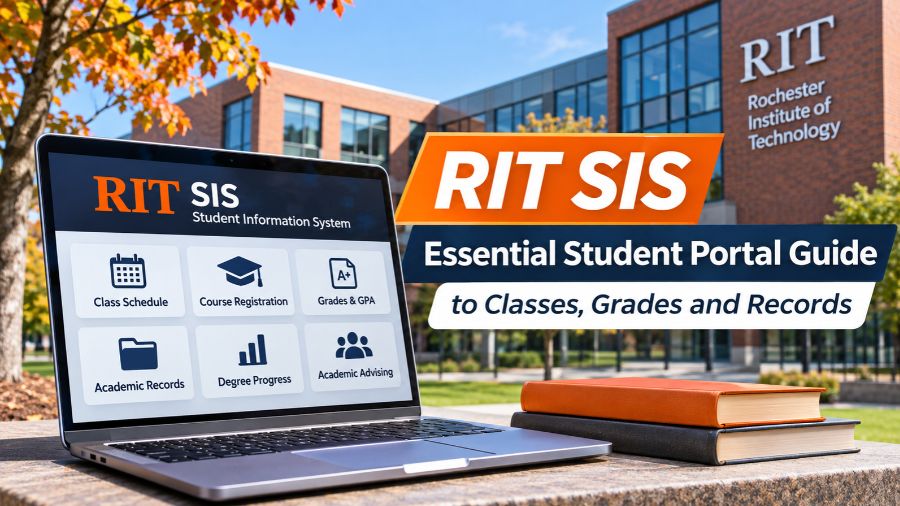
RIT SIS is the Student Information System used by Rochester Institute of Technology to help students manage their academic information and university activities online. Whether you are a new student, a returning undergraduate, a graduate student, or an international applicant preparing to study at RIT, understanding this portal can make your university experience more organised. From checking class schedules and reviewing grades to registering for courses and tracking degree requirements, RIT SIS brings important academic services into one digital environment. This guide explains how the system works, what students can do inside it, how to access their accounts, and how to resolve common problems.
What Is RIT SIS?
RIT SIS stands for Rochester Institute of Technology Student Information System. It is an online university platform that provides students with access to academic records, course registration, enrollment information, and other essential student services. The system is designed to support the administrative side of university life by allowing students to manage many routine tasks without visiting individual campus offices. RIT’s InfoCenter provides access to the Student Information System, while dedicated training resources help students understand its features. SIS is particularly important during registration periods, when students need accurate information about available courses, enrollment appointments, and academic requirements.
How RIT SIS Works
RIT SIS operates as a secure, account-based student portal. Students sign in using their university credentials to access information associated with their academic profile. Depending on their role and permissions, users may see different sections of the system, such as the Student Center, academic records, enrollment tools, or personal information. The platform connects students with university records maintained through official administrative processes. Because these records affect registration and academic progress, students should review information carefully and contact the appropriate university department if something appears incorrect.
Student Self-Service Features
The Student Center provides a self-service environment for managing university-related activities. Students can review schedules, check enrollment appointments, access academic information, and complete selected administrative tasks. This reduces the need to rely on separate manual processes for routine student requests. However, self-service does not mean every action is automatically approved. Certain changes may depend on registration dates, academic policies, departmental permissions, or outstanding account restrictions.
Secure Access and Account Authentication
Access to RIT SIS requires an active RIT computer account. Students generally use their RIT username and password, with additional authentication requirements applied through the university’s security arrangements. Multi-factor authentication helps protect sensitive information by requiring an additional verification step. Students should use official university access pages, avoid sharing their login credentials, and sign out when using shared computers.
How to Access RIT SIS
Students can access RIT SIS through the university’s InfoCenter. The usual process involves opening the official InfoCenter page, selecting the Student Information System option, and signing in with an active RIT account. After authentication, the student homepage displays available services and navigation options. New students should first complete their account activation instructions before attempting to use the portal. If access is unavailable, the RIT Service Center can provide technical assistance and guidance on account setup.
Login Requirements for Students
An active RIT computer account is the main requirement for accessing the student system. New students may need to activate their account using instructions supplied by the university. Login credentials are associated with other RIT services, so students should keep their account information secure and updated. If a password has expired or authentication fails, the correct approach is to use the university’s official account recovery or support process rather than attempting to access the system through unofficial websites.
Finding the Student Homepage
Once logged in, students can navigate through the available homepage tiles and menus. These sections organise academic and administrative services into accessible areas. The exact layout may change as the university updates its systems, so students should rely on the current navigation labels rather than older screenshots or unofficial tutorials. RIT also provides student training materials that explain important sections and common tasks.
Important Features of RIT SIS
RIT SIS supports several activities that students need throughout their academic journey. Its features are particularly useful during semester planning, enrollment periods, and the review of academic progress. The system helps students access university information in one place, making it easier to monitor responsibilities and prepare for upcoming academic deadlines. While the portal offers a broad range of services, students should understand which functions are handled directly through SIS and which require another RIT platform.
Course Search and Registration
Course search and registration are among the most important functions of RIT SIS. Students can review courses offered during different academic terms and use enrollment tools to register, add, drop, swap, or withdraw from classes when permitted. Course availability and registration access depend on the relevant term, enrollment appointment, and university rules. Students should confirm that their selected courses fit their academic plan and that their registration has been completed successfully.
Grades, GPA, and Academic Records
The system allows students to review grades and access academic information such as GPA and course history. These records help students understand their academic performance and identify areas that may require attention. Students should remember that grades may not appear immediately after an assessment or examination because instructors must submit them according to university procedures. For official academic documentation, students should follow the Registrar’s instructions regarding transcript requests and verification services.
Class Schedules and Exam Information
RIT SIS helps students review their class schedules and relevant examination information. Checking these details regularly can reduce confusion about course times, enrollment changes, and academic commitments. Students should verify their schedules after registration adjustments and pay attention to official university calendar announcements. A schedule displayed in the system should be treated as the current administrative record, but students should also monitor course-specific communication from instructors.
Degree Progress and Academic Advisement
Academic Advisement Reports, also known as degree audits or plans of study, help students understand how completed coursework applies to graduation requirements. These reports can show how university courses, transfer credits, and eligible examination credits contribute to an academic programme. Students can use this information when planning future semesters, but they should review it with an academic adviser before making important decisions about course selection or graduation eligibility.
Benefits of Using RIT SIS
RIT SIS offers practical benefits by centralising important academic information and supporting student self-service. Instead of depending entirely on office visits or separate administrative communications, students can access many records and enrollment functions online. The system also helps students take greater responsibility for their academic planning by making schedules, grades, and requirements easier to review. Its value is strongest when students use it regularly and understand the limits of the information displayed.
Better Academic Organisation
Having schedules, enrollment details, and academic records available through a single portal makes semester planning more manageable. Students can review upcoming classes, check registration appointments, and identify academic requirements before deadlines arrive. This information supports better preparation, especially for students balancing coursework, employment, commuting, or other responsibilities. Regular portal checks can also help students notice changes that might otherwise be missed.
Convenient Administrative Access
Online access makes it easier to complete routine university tasks from different locations. Students can review records and use available enrollment services without being physically present on campus. This is especially helpful for students who live off campus or study through online programmes. Nevertheless, some requests may still require approval, documentation, or direct communication with the Registrar or another university office.
Common RIT SIS Problems and Solutions
Like other university information systems, RIT SIS may occasionally present access or navigation difficulties. Problems can arise from account activation, password issues, authentication, browser settings, registration restrictions, or planned system maintenance. Students should first identify whether the issue concerns login access, missing academic information, or a specific transaction. Understanding the type of problem makes it easier to contact the right support team and avoid unnecessary delays.
Login or Authentication Issues
If the login page rejects credentials, students should confirm that they are using their correct RIT username and password. They should also check whether their account has been activated and whether the required authentication method is working. Repeated unsuccessful attempts may indicate an account or security issue that requires assistance. The RIT Service Center is the appropriate contact for technical problems involving account access.
Registration Holds and Enrollment Restrictions
A registration hold can prevent students from enrolling in certain courses or completing registration. Holds may be associated with administrative requirements or other university processes. Students can review available hold information through the relevant SIS section and follow the instructions provided. Because not every hold has the same effect, students should contact the responsible department if the restriction is unclear or remains unresolved.
Missing Grades or Incorrect Records
Academic information may take time to update after instructors submit grades or departments process changes. If a grade, course, or credit record appears incorrect, students should avoid assuming that the portal itself is responsible. They should contact the instructor, academic department, Registrar, or adviser as appropriate. Keeping relevant course details and official communications available can help the university investigate the issue efficiently.
RIT SIS Compared With Other RIT Student Platforms
RIT SIS is an important part of the university’s digital environment, but it is not the only platform students use. Different systems support different aspects of university life, and understanding their roles can prevent confusion. SIS focuses heavily on student records and administrative functions, while other services provide learning materials, personalised campus information, or financial account services. These platforms may connect with one another, but they should not be treated as interchangeable.
SIS and myCourses
myCourses is RIT’s learning management system, where students access course materials, syllabi, assignments, and instructor-provided resources. SIS, by comparison, is primarily used for student records, enrollment, and academic administration. A student may use SIS to confirm registration and then visit myCourses to access the corresponding course content. Both systems are important, but they serve different purposes.
SIS and eServices
eServices provides access to financial and account-related information, including billing and payment functions. SIS is more closely associated with academic records and enrollment activities. Students should use the platform that matches the task they need to complete. For example, checking course registration is generally an SIS activity, while reviewing tuition billing or making an account payment belongs to the appropriate financial service.
Conclusion
RIT SIS is a central digital resource for students at Rochester Institute of Technology, supporting course registration, academic records, schedules, grades, and degree planning. Its self-service features can make university administration more convenient, but students still need to understand registration rules, deadlines, account security, and the distinction between academic and financial platforms. By accessing the official system, reviewing records regularly, and seeking help from the appropriate university office when necessary, students can use RIT SIS more confidently and stay better informed throughout their studies.
Also read: Internetchicks: A Complete Guide to the Creator Discovery Platform and Its Purpose
FAQs
What does RIT SIS stand for?
RIT SIS stands for Rochester Institute of Technology Student Information System, an online portal for academic records, registration, schedules, and student administrative services.
Who can access RIT SIS?
Current RIT students and authorised university users can access relevant SIS services using an active RIT computer account and required authentication.
Can students check grades through RIT SIS?
Yes, students can review posted grades, GPA information, course history, and other academic records through the appropriate sections of SIS.
How do I register for classes using RIT SIS?
Sign in through InfoCenter, open the enrollment tools, search available courses, and complete registration during your assigned enrollment period.
Is RIT SIS available on mobile devices?
SIS is accessed online, but the experience may vary by device and browser. Use a supported browser and official RIT access page.
What should I do if RIT SIS is not working?
Check account credentials, authentication, and maintenance notices first. If the problem continues, contact the RIT Service Center for assistance.