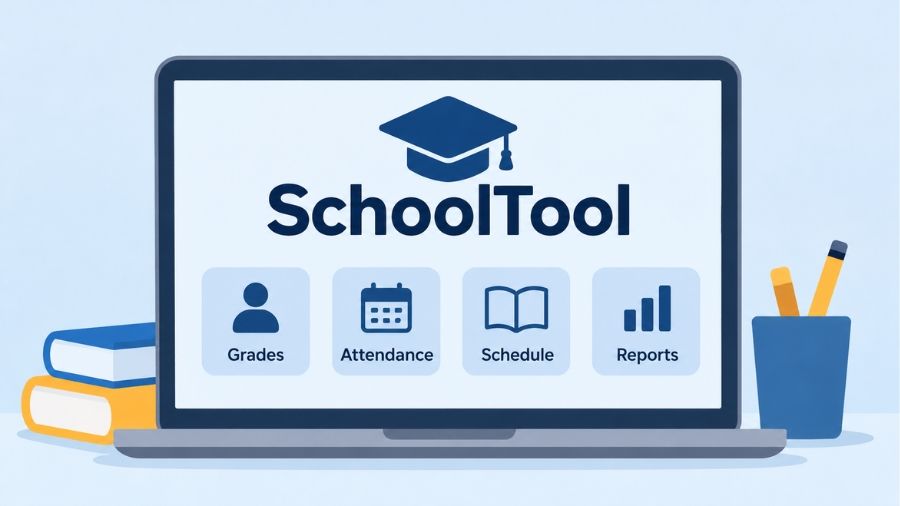
SchoolTool is a student information management system designed to help schools, teachers, parents, students, and administrators manage educational information through a centralized digital platform. Developed by Mindex, SchoolTool is particularly popular among K–12 school districts in New York State, where educational institutions use it to organize student records, monitor attendance, manage grades, create class schedules, and improve communication between schools and families. Its parent and student portal also makes it easier to follow academic progress without relying entirely on printed report cards or direct school visits. Understanding how SchoolTool works, what features it offers, and how users can access their accounts can help families and educators make better use of this education technology platform.
What Is SchoolTool?
SchoolTool is a web-based Student Information System (SIS) developed by Mindex, a technology company based in Rochester, New York. It provides educational institutions with a centralized environment for managing student information and everyday administrative activities. Rather than maintaining separate systems for attendance, academic records, scheduling, and reporting, schools can use SchoolTool to organize many of these functions within one platform. Its primary audience includes K–12 schools, school district administrators, teachers, parents, and students. The platform is designed around different user roles, meaning each person receives access to information and tools relevant to their responsibilities. For parents, this may include grades and attendance records, while teachers can manage classroom activities and administrators can oversee district-wide information. SchoolTool is more than a simple online grade checker because it supports a broader range of school management operations.
How Does SchoolTool Work?
SchoolTool operates through a centralized student information database that allows authorized users to access educational records according to their assigned permissions. Schools and districts manage the platform, configure its features, and provide account access to teachers, parents, students, and administrative personnel. Teachers can enter attendance information, maintain gradebooks, and update relevant academic records, while administrators use the system to coordinate scheduling, reporting, and student management activities. Parents and students access their available information through a district-specific web portal or the SchoolTool mobile application. Information visibility depends on district configuration, individual account permissions, and how frequently teachers or school employees update records. This arrangement helps different members of an educational community work with consistent information without giving every user unrestricted access to sensitive student data.
SchoolTool Login Process
Accessing SchoolTool generally begins with obtaining the correct login address from the student’s school district. Unlike services that provide one universal account page, SchoolTool installations may use different district-specific web addresses. Parents and students should visit the portal provided by their educational institution and enter the credentials assigned to their accounts. Some districts also support single sign-on, allowing users to authenticate through an existing school or organizational account. After successful authentication, the available dashboard displays information according to the user’s role and permissions. Parents may see their children’s academic records, while teachers receive access to classroom management tools. Users who cannot locate their login page should contact their school administration rather than relying on an unrelated district’s portal.
Accessing the Parent and Student Portal
The SchoolTool Parent and Student Portal provides a convenient way to view educational information through a web browser. Parents can use their accounts to monitor student grades, review class schedules, check attendance, and access other records made available by their district. Students can use the portal to follow their academic performance and stay informed about classroom activities. Some districts also enable communication features, teacher information pages, and discussion tools. The portal is particularly useful for families who want to remain involved in their children’s education without regularly requesting printed academic reports. However, the exact information available varies because individual districts determine which modules and records are accessible to parents and students.
Key Features of SchoolTool
SchoolTool combines several educational management functions within a unified student information platform. Its features support classroom activities, administrative responsibilities, academic reporting, and family engagement. The available tools are designed to address the different requirements of school districts rather than focusing exclusively on student grades. Mindex continues to develop the platform, including improvements to its gradebook, reporting capabilities, integrations, and user experience. Although individual implementations can differ, the broader SchoolTool ecosystem includes attendance management, scheduling, student records, analytics, communication, and mobile access. These capabilities make it useful for institutions that want to coordinate multiple educational processes through one management environment.
Student Information Management
Student information management is one of the central functions of SchoolTool. Schools can maintain important records, including student profiles, enrollment details, contact information, educational history, and other administrative information. Authorized personnel can access these records when handling enrollment, academic planning, student support, or administrative responsibilities. Having centralized records can reduce the need to maintain disconnected information across multiple spreadsheets and manual documents. It can also help school employees locate relevant student information more efficiently. Since these records may contain sensitive personal information, access is controlled through user permissions and district-level security settings.
Attendance and Scheduling
SchoolTool provides attendance management capabilities that help teachers and administrative staff record student participation in daily and individual class sessions. Teachers can mark students present, absent, or late, depending on the attendance options configured by their institution. Attendance personnel can review records, identify patterns, and generate relevant reports. Parents and students may also be able to view attendance information through the portal. Scheduling is another important component because schools need to coordinate courses, classrooms, teachers, and student timetables. SchoolTool includes scheduling tools that help administrators manage course selections, class sections, and academic schedules. These functions can reduce administrative complexity and provide a more organized approach to managing the school calendar.
Gradebook and Academic Reporting
The SchoolTool Gradebook helps teachers record assignments, enter scores, calculate grades, and communicate academic performance. One important capability is its support for traditional, standards-based, and hybrid grading approaches. Teachers can organize assignments into categories, configure grading scales, and provide feedback according to their school’s assessment policies. The platform also supports report cards and transcripts, allowing schools to prepare academic documents using their configured formats. Students and parents may receive access to assignment scores and grade information through the web portal or mobile application. SchoolTool also supports integrations with Google Classroom, helping participating districts synchronize relevant classroom rosters and grading information between systems.
Parent Communication and Notifications
Communication between families and schools is an important part of student development. SchoolTool provides features that can help parents, students, and teachers remain connected through the platform. Depending on district settings, users may be able to email teachers, participate in discussions, view teacher pages, and receive notifications through the mobile application. These tools can make it easier for families to stay informed about classroom announcements, academic updates, and school-related information. Teachers can also use available communication features to share relevant information with students and parents. However, the specific communication options depend on the district’s implementation and the permissions assigned to individual accounts.
Reports, Analytics, and Administrative Tools
School administrators need accurate information to understand student performance and manage institutional responsibilities. SchoolTool includes dashboards, reporting tools, and data visualization features that help authorized personnel review educational information. Administrators can examine attendance patterns, student records, academic results, and other relevant indicators. Custom reports and exports can also support district-level planning and reporting requirements. These capabilities are especially useful for larger educational institutions that manage substantial amounts of student information. Rather than manually collecting information from different departments, authorized staff can use centralized reporting tools to access relevant data and support administrative decisions.
SchoolTool Mobile App
The SchoolTool Mobile application extends selected platform capabilities to smartphones, allowing parents and students to access educational information without always using a desktop computer. The application is available for supported mobile devices, and its features include viewing student assignments, grades, schedules, and attendance information. Users may also receive notifications when participating districts enable the relevant functionality. The application is designed specifically for schools and districts that use SchoolTool, so it is not a universal student management app that works independently of an educational institution. Users generally need district connection information to configure their accounts. The Android application is published by Mindex Technologies, while availability and compatibility should be checked through the relevant app store before installation.
How to Access SchoolTool on a Smartphone
Parents and students can begin by downloading the official SchoolTool Mobile application from their device’s supported app store. After installation, they need to follow the connection instructions provided by their school district. Depending on the district’s configuration, this may involve entering a specific SchoolTool address or using an approved authentication method. Once connected, users can select the relevant student information and access available academic details. If the application cannot connect, checking the district URL, account credentials, and device compatibility is a sensible first step. School administrators can provide additional assistance when technical or account-related problems prevent successful access.
Benefits of Using SchoolTool
SchoolTool offers several practical benefits for educational institutions and families because it brings important student management activities into one environment. Centralized records can make information easier to organize, while digital attendance and grade management can reduce dependence on manual administrative processes. Parents gain a more convenient way to monitor academic progress, and students can become more aware of their responsibilities by regularly checking assignments and grades. Teachers can use gradebook tools and classroom management features to organize their work, while administrators can access reports that support institutional planning. Its mobile access and integration options further improve convenience for participating districts. However, the actual benefits depend on how effectively a school implements the system, trains its staff, and maintains accurate information.
Is SchoolTool Safe and Secure?
SchoolTool manages educational information that can include personal details, attendance records, academic results, and other sensitive student data. For this reason, security and access management are important considerations for schools using the platform. Mindex describes security and cloud hosting as part of its SchoolTool offering, including hosting infrastructure and support for applicable educational data requirements. The platform also provides role-based permissions, allowing districts to control which features and records different users can access. Single sign-on integrations can provide centralized authentication where supported. Nevertheless, no online platform should be considered completely risk-free. Schools must maintain appropriate account controls, follow applicable privacy requirements, and provide users with guidance on protecting their login credentials. Parents should also avoid sharing passwords or accessing student records through unfamiliar websites.
Common SchoolTool Login Problems and Solutions
Some users experience difficulties when accessing SchoolTool, particularly when they are using an incorrect district address, forgotten password, or outdated account information. These problems do not necessarily indicate that the platform is unavailable. In many cases, the appropriate solution is to verify the login details and contact the institution responsible for managing the account. Mindex’s support guidance directs parents and students to their district administration for grades, account access, and login assistance. Parents may also have access to a password recovery option if their district enables it. Students using school-managed single sign-on accounts may need to authenticate through their institution’s designated service. If a technical issue continues after these checks, school administrators can help determine whether the problem involves account permissions, configuration, or system availability.
Who Can Benefit from SchoolTool?
SchoolTool is designed to support several groups within the K–12 education environment. Teachers can use its classroom tools to manage attendance, assignments, grades, and student progress. Parents can monitor their children’s educational records and communicate with teachers through supported portal features. Students can review academic information and stay informed about their schedules and assignments. School administrators can coordinate enrollment, reporting, scheduling, and institutional records, while district technology personnel can manage integrations and other technical requirements. Additional capabilities support specialized responsibilities involving student services, transportation, medical information, and educational programs. This broad user structure makes SchoolTool relevant to institutions seeking a connected approach to student information management.
SchoolTool Limitations and Considerations
Despite its extensive functionality, SchoolTool has certain limitations that users should understand. First, the platform is intended for participating school districts, meaning individuals cannot simply create an independent account and access its full features. Second, available modules and portal information may vary depending on district configuration, user permissions, and local policies. Parents may not see every administrative record, and students may have different access rights from teachers or school employees. The experience can also depend on how regularly staff update information and how effectively the institution trains users. Mobile application compatibility and authentication requirements are additional considerations. Therefore, families should treat their school’s official instructions as the most reliable source of information about available features and account access.
The Future of School Information Management
Digital student management systems are becoming increasingly important as educational institutions look for more efficient ways to coordinate academic information, administrative responsibilities, and communication. Platforms such as SchoolTool demonstrate how centralized databases, integrated gradebooks, reporting dashboards, and mobile applications can support modern school operations. Future improvements in educational technology may place greater emphasis on automated reporting, improved data integrations, accessible interfaces, and more useful academic insights. SchoolTool’s existing development direction includes enhancements to grading, classroom integrations, reporting, and student management capabilities. However, the pace and availability of future developments will depend on Mindex’s product roadmap and the requirements of participating school districts. The broader goal remains making educational information easier to manage, understand, and use responsibly.
Conclusion
SchoolTool is a comprehensive student information management platform that helps K–12 educational institutions organize academic records, attendance, scheduling, grading, communication, and administrative activities. Developed by Mindex, it provides different tools for teachers, students, parents, and school administrators through role-based access, a web portal, and mobile functionality. Its gradebook, reporting capabilities, and integration options make it particularly relevant to school districts looking to centralize educational operations. Although available features and login procedures depend on individual institutions, understanding the platform can help families and educators use it more effectively. Overall, SchoolTool represents an important example of how education technology can improve access to student information and support better coordination across school communities.
Also read: Genesis Parent Portal: Complete Guide to Login, Grades, and Features
FAQs
1. What is SchoolTool used for?
SchoolTool is used by schools to manage student records, attendance, grades, schedules, academic reporting, communication, and other educational administration activities.
2. Is SchoolTool free for parents and students?
Parents and students generally receive portal access through participating school districts, while educational institutions arrange commercial licensing and implementation with Mindex.
3. How do I log into SchoolTool?
Visit your school’s designated SchoolTool portal, enter your registered credentials, and follow your district’s authentication instructions to access available student information.
4. Can parents check grades using SchoolTool?
Yes, parents can review available grades, assignments, schedules, and attendance records through their district’s SchoolTool parent portal or supported mobile application.
5. Does SchoolTool have a mobile application?
Yes, Mindex provides SchoolTool Mobile, an application that allows participating district users to access assignments, grades, schedules, attendance, and notifications.
6. What should I do if my SchoolTool login is not working?
Check your district portal address and account credentials first. If problems continue, contact your school administration for password recovery or account assistance.