
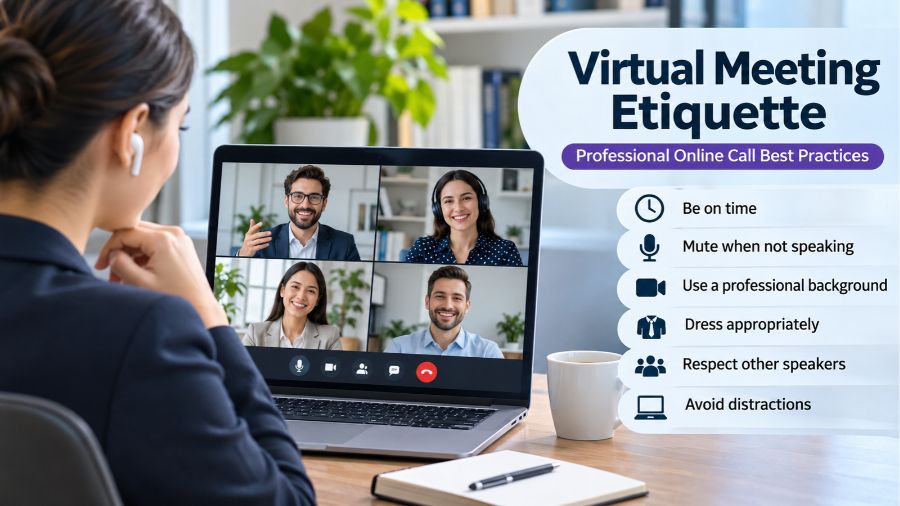
Virtual Meeting Etiquette has become an essential part of modern professional communication as businesses, educational institutions, and remote teams increasingly rely on video conferencing to collaborate. Whether employees are attending a client presentation, managers are leading team discussions, or freelancers are meeting international customers, professional online behavior can significantly influence communication and productivity. Understanding the right meeting practices helps participants avoid distractions, communicate confidently, respect other people’s time, and create a positive impression. From preparing your equipment and choosing an appropriate background to managing conversations and protecting confidential information, following effective virtual meeting etiquette makes online interactions more organized, inclusive, and professional.
What Is Virtual Meeting Etiquette?
Virtual meeting etiquette refers to the professional standards, communication practices, and expected behaviors people should follow when participating in online meetings. These guidelines apply to video conferences, remote team discussions, online interviews, virtual training sessions, webinars, and client presentations. Just like traditional face-to-face meetings, virtual interactions require punctuality, respectful communication, active listening, and appropriate professional conduct. However, online environments introduce additional considerations, including microphone management, camera positioning, internet connectivity, screen sharing, digital privacy, and meeting platform controls. Popular communication platforms such as Zoom, Microsoft Teams, Google Meet, and Cisco Webex provide features that support online collaboration, but successful meetings depend on how participants use these tools. Good etiquette helps everyone communicate effectively while reducing unnecessary interruptions and misunderstandings.
Why Is Virtual Meeting Etiquette Important?
Professional online behavior contributes to productive discussions, stronger workplace relationships, and better collaboration between geographically distributed teams. When participants follow consistent meeting practices, conversations become easier to manage, information is communicated more clearly, and everyone has a better opportunity to contribute. Poor etiquette can create unnecessary delays through background noise, late arrivals, interruptions, and technical problems. It can also damage professional impressions, particularly during recruitment interviews, business negotiations, and client meetings. For organizations, establishing clear expectations helps employees understand their responsibilities and creates a more consistent communication environment. Virtual meeting etiquette is therefore more than a collection of polite behaviors; it is an important part of effective remote working, professional communication, and modern business operations.
15 Essential Rules of Virtual Meeting Etiquette
Following practical online meeting guidelines helps participants prepare properly, communicate respectfully, and maintain professional standards throughout a video conference. Although expectations may vary depending on the organization and meeting purpose, several basic principles apply to most professional situations.
1. Join Meetings on Time
Punctuality is one of the most important elements of professional meeting behavior. Participants should aim to join a few minutes before the scheduled starting time whenever possible, allowing enough time to resolve unexpected login, audio, or connectivity problems. Arriving late can interrupt ongoing discussions and make other participants repeat information. If a delay is unavoidable, inform the meeting organizer through an appropriate communication channel. Hosts should also respect the published schedule by starting and finishing meetings on time rather than keeping attendees waiting unnecessarily. Consistent punctuality demonstrates reliability and consideration for everyone’s working hours.
2. Test Your Technology Before the Meeting
Technical preparation reduces interruptions and helps meetings begin smoothly. Before joining, check that your microphone, speakers, camera, internet connection, and conferencing application are working correctly. If you need to present a document or share your screen, confirm that the required files are available and that you understand the platform’s sharing controls. Headphones with an integrated microphone can improve audio clarity and reduce unwanted background sounds. Participants should also become familiar with basic features such as mute, unmute, chat, captions, and screen sharing. Preparing in advance is particularly important for interviews, presentations, customer demonstrations, and meetings involving external participants.
3. Choose a Quiet and Professional Environment
Your surroundings can influence how other participants experience an online meeting. Whenever possible, choose a quiet location where conversations, television sounds, traffic, and other distractions are limited. A clean and organized background helps maintain a professional appearance without requiring an expensive home office. Virtual backgrounds and background-blurring features can provide additional privacy when the physical environment is unsuitable. Participants discussing sensitive business information should also consider whether other people nearby can overhear the conversation. Selecting an appropriate environment supports concentration, protects confidentiality, and makes communication easier for everyone involved.
4. Keep Your Microphone Muted When Necessary
Background noise can make virtual conversations difficult to follow, especially when several participants join from different locations. Keeping your microphone muted while listening is a simple way to prevent keyboard sounds, household conversations, traffic, and other interruptions from reaching the meeting. Unmute when you are ready to speak and mute again when your contribution is finished. However, participants should remain aware of the meeting format because some smaller discussions benefit from more natural conversation. If technical problems cause unexpected audio feedback, check your device settings or use headphones to improve sound quality.
5. Maintain Appropriate Camera Positioning and Eye Contact
Camera positioning can make online communication feel more natural and professional. Place your webcam approximately at eye level so that your face remains clearly visible without an uncomfortable viewing angle. Look toward the camera when addressing other participants rather than continuously watching your own image. Good lighting also matters because strong light behind you can make your face difficult to see. Natural light or a lamp positioned in front of you can improve visibility. Although camera use should follow meeting expectations and individual accessibility needs, participants should avoid assuming that everyone must keep video enabled throughout every meeting.
6. Dress Appropriately for the Meeting
Professional clothing remains important during virtual interactions because appearance can influence first impressions. The appropriate dress code depends on the meeting’s purpose, organization, industry, and audience. A formal client presentation or recruitment interview may require business attire, while an informal internal team discussion may allow smart casual clothing. Participants should choose comfortable, clean clothing that looks appropriate on camera and avoids unnecessary visual distractions. Dressing professionally can also help establish a suitable mindset for work, particularly when working remotely from home.
7. Avoid Multitasking and Unnecessary Distractions
Active participation requires giving attention to the conversation instead of dividing it between unrelated activities. Checking personal messages, browsing social media, answering unrelated emails, or working on other assignments during an important discussion can cause participants to miss important information. It may also create the impression that they are uninterested in the meeting. Closing unnecessary browser tabs, silencing notifications, and keeping relevant documents available can improve concentration. If you need to complete another urgent task, consider whether attending the meeting is necessary or whether you should inform the organizer about your availability.
8. Respect Other Speakers and Avoid Interruptions
Online discussions require patience because internet delays and microphone controls can make conversations less natural than face-to-face communication. Allow speakers to finish their points before responding, and avoid speaking over colleagues or clients. In larger meetings, using the raise-hand feature can help organizers manage questions and contributions. Participants should also pause briefly before responding when network delays are possible. Respectful communication creates a more comfortable environment where people can explain their ideas without unnecessary interruptions.
9. Communicate Clearly and Professionally
Speaking clearly is essential because online participants may not receive the same nonverbal communication signals available during physical meetings. Use a natural speaking pace, maintain an appropriate volume, and explain technical terminology when addressing people who may not be familiar with it. Avoid unnecessarily long explanations and keep comments relevant to the meeting’s objectives. When joining a large conference, introducing yourself before speaking can help other attendees identify your contribution. Professional language, constructive feedback, and respectful disagreement also help maintain productive discussions.
10. Use Chat and Digital Meeting Features Properly
Most video conferencing platforms offer chat, reactions, hand-raising, captions, and other collaboration features. These tools can make meetings more accessible and organized when used appropriately. Participants can use chat to share relevant information, ask short questions, or provide documents without interrupting a presentation. However, unrelated conversations, excessive reactions, and distracting messages can reduce the quality of the discussion. Meeting hosts should explain how attendees can ask questions and participate, particularly when organizing webinars or meetings with large audiences. Digital tools should support communication rather than compete with it.
11. Protect Privacy and Confidential Information
Privacy is an important consideration during online business meetings, particularly when participants discuss customer information, financial matters, internal strategies, or employee records. Before sharing your screen, close unrelated applications, private documents, and personal browser tabs. Check that the correct window or presentation is selected to prevent accidental disclosure. Use approved conferencing platforms and follow organizational security requirements when handling confidential information. Participants should not record, photograph, or distribute meeting content without appropriate authorization. If an unfamiliar attendee joins a sensitive meeting, the host should verify their identity before confidential discussions continue.
12. Respect Different Time Zones and Working Schedules
Remote teams frequently include employees, customers, and business partners located in different countries. Scheduling meetings without considering time-zone differences can create unnecessary inconvenience for participants. Organizers should clearly communicate the meeting date, starting time, and relevant time zone in invitations. They should also consider reasonable working hours, local holidays, and individual availability. For international teams, sharing an agenda and relevant documents in advance allows participants to prepare even when their schedules differ. Respecting different working arrangements supports more inclusive and effective collaboration.
13. Participate Actively and Encourage Others
Successful virtual meetings require meaningful contributions rather than simply having participants connected to a call. Attendees should listen carefully, ask relevant questions, share useful information, and respond when their input is needed. Meeting hosts have an additional responsibility to prevent discussions from being dominated by a small number of people. They can invite quieter participants to contribute, monitor chat questions, and provide opportunities for feedback. However, participation should not become forced or uncomfortable. People may have different communication styles, accessibility requirements, or reasons for keeping their cameras disabled.
14. Handle Technical Problems Professionally
Internet interruptions, software errors, audio failures, and unexpected disconnections can occur even when participants prepare carefully. If a technical problem develops, remain calm and use available alternatives to communicate with the host. Rejoining the meeting, switching to telephone audio, disabling video to improve bandwidth, or using the chat feature may resolve the situation. If the problem affects your ability to participate, inform the organizer rather than remaining disconnected without explanation. Meeting hosts should also have a backup communication method for important presentations and discussions.
15. Follow Up After the Meeting
Professional meeting behavior does not end when participants disconnect from the call. Follow-up communication helps turn discussions into practical outcomes. Organizers should summarize important decisions, identify assigned responsibilities, and communicate relevant deadlines. Participants should review their action items and ask for clarification when instructions are unclear. When documents or additional information are promised during a meeting, sharing them promptly helps maintain progress. Clear follow-up practices reduce misunderstandings and make it easier for teams to track responsibilities and complete agreed work.
Virtual Meeting Etiquette for Hosts and Organizers
Meeting organizers have responsibilities beyond joining on time and communicating professionally. A successful host should establish a clear purpose, prepare an appropriate agenda, invite relevant participants, and provide essential information before the meeting begins. During the discussion, the organizer should manage speaking opportunities, monitor questions, address technical difficulties, and keep the conversation focused on its objectives. For larger meetings, assigning a co-host or technical assistant can make it easier to manage participants and presentation controls. Hosts should also explain recording arrangements, accessibility features, and participation guidelines when necessary. At the end, they should summarize decisions and clarify the next steps so attendees understand what happens after the meeting.
Virtual Meeting Etiquette for Remote Employees
Remote employees often depend on digital meetings to communicate with managers, colleagues, customers, and international teams. Maintaining professional standards is particularly important because employees may work from different environments and follow different schedules. Remote workers should keep their calendars updated, prepare relevant documents, communicate availability, and use professional display names when joining meetings. They should also avoid unnecessary interruptions, respect confidentiality, and remain responsive to colleagues. When working with international teams, clear written communication can support discussions where accents, language differences, or unstable internet connections make verbal communication more challenging. Consistent online behavior helps remote employees demonstrate reliability and maintain positive professional relationships.
How Virtual Meeting Etiquette Improves Business Productivity
Good online meeting practices can improve business productivity by reducing communication problems and helping teams use their time more effectively. When organizers establish clear objectives and participants arrive prepared, discussions are more likely to focus on decisions rather than unrelated subjects. Appropriate microphone use and respectful speaking habits also reduce interruptions, making important information easier to understand. Written summaries and clearly assigned action items help employees move from discussion to execution. However, etiquette alone cannot solve every workplace communication problem. Organizations must also consider meeting frequency, participant workload, technology availability, and whether a particular discussion actually requires a meeting. Combining professional behavior with thoughtful meeting management creates a more efficient working environment.
Common Virtual Meeting Etiquette Mistakes to Avoid
Even experienced professionals can make mistakes during online meetings, particularly when they become too comfortable with remote working arrangements. Joining without checking audio settings, leaving microphones unmuted, interrupting speakers, and ignoring meeting invitations can make collaboration difficult. Other common problems include sharing the wrong screen, using distracting backgrounds, conducting private conversations while others are speaking, and leaving meetings without informing the organizer. Recording conversations without notifying participants can also create privacy and trust concerns. These mistakes are generally avoidable through preparation, awareness, and clear communication expectations. Organizations should establish reasonable meeting guidelines so employees understand acceptable behavior and know how to handle unexpected situations.
Challenges and Limitations of Virtual Meetings
Although online meetings make communication possible across geographical boundaries, they also introduce challenges that are less common in traditional face-to-face discussions. Unstable internet connections can interrupt important conversations, while poor audio and video quality can make it difficult to understand speakers. Participants may experience screen fatigue after attending several consecutive video conferences, and limited nonverbal communication can sometimes lead to misunderstandings. Accessibility is another important consideration because not every participant interacts with digital platforms in the same way. Captions, keyboard-accessible controls, alternative participation methods, and accessible meeting documents can help address some of these barriers. Organizations should also avoid scheduling unnecessary meetings and consider whether an email, shared document, or short written update would be more appropriate.
Best Practices for Making Virtual Meetings More Inclusive
Inclusive virtual meetings recognize that participants have different communication preferences, technical resources, working environments, and accessibility requirements. Organizers should distribute agendas and relevant documents in advance, use accessible conferencing features, and provide clear instructions for asking questions. Speaking at a reasonable pace and avoiding unexplained technical language can make discussions easier to follow. Captions may support people who are deaf or hard of hearing, while verbal descriptions of important visual information can help participants who cannot easily access shared content. Hosts should also allow sufficient time for questions and avoid assuming that camera use or immediate verbal participation is suitable for everyone. An inclusive meeting environment encourages meaningful contributions without placing unnecessary pressure on individual participants.
Conclusion
Virtual Meeting Etiquette plays an important role in creating professional, respectful, and productive online communication environments. From joining meetings punctually and preparing technology to protecting confidential information and encouraging inclusive participation, every aspect contributes to a better experience for hosts and attendees. Businesses, remote employees, freelancers, and professionals can benefit from adopting consistent meeting practices that reduce distractions and improve collaboration. However, effective virtual communication also requires thoughtful scheduling, accessible technology, clear objectives, and respect for individual circumstances. By combining professional online behavior with responsible meeting management, organizations can make virtual collaboration more effective and maintain stronger working relationships.
Also read: Schedule Builder: A Practical Guide to Smarter Weekly Planning Tools
FAQs
1. What are the five basic rules of virtual meeting etiquette?
The five basic rules include joining on time, muting when listening, communicating respectfully, avoiding distractions, and protecting confidential information during discussions.
2. Should you always turn your camera on during virtual meetings?
No. Camera expectations depend on meeting purpose, organizational policies, accessibility needs, internet limitations, and individual circumstances.
3. How early should you join an online meeting?
Joining two to five minutes early is generally helpful because it allows participants to check their equipment and resolve minor technical problems.
4. Is it unprofessional to eat during a virtual meeting?
Eating during formal meetings can appear distracting or disrespectful. Avoid it when possible, unless the meeting is specifically organized as an informal meal discussion.
5. How can meeting hosts encourage better participation?
Hosts can share agendas, establish discussion guidelines, invite questions, monitor chat messages, manage speaking opportunities, and encourage contributions from different participants.
6. What should you do if your internet connection fails during a meeting?
Try reconnecting, switch to telephone audio if available, notify the organizer through another channel, and rejoin when your connection becomes stable.