
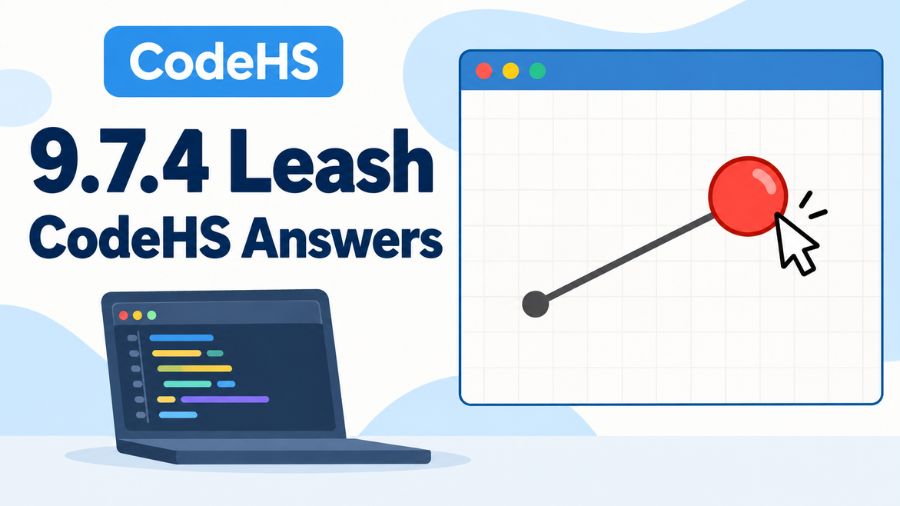
9.7.4 Leash CodeHS Answers can be confusing at first, especially if you are still getting comfortable with mouse events, graphics objects, and functions in JavaScript. The exercise looks simple because it involves only a ball and a leash, but it actually tests several important programming concepts at the same time. You need to create the graphical objects, place them correctly, respond to mouse movement, and update the objects whenever the mouse position changes. Once you understand how these pieces work together, the problem becomes much easier to solve.
What Is the 9.7.4 Leash Exercise?
The 9.7.4 Leash exercise is a programming activity designed around interactive graphics. The basic idea is to create a ball that behaves as though it is attached to a leash. One end of the leash remains anchored near the center of the canvas while the other end follows the ball as the user moves the mouse. This gives you practical experience with event-driven programming rather than simply writing code that runs once from top to bottom.
The exercise is useful because it combines object creation, coordinates, functions, and event handling in one relatively small project. Instead of clicking a button to trigger an action, the program continuously reacts to the user’s mouse movement. That is an important concept in graphical applications, games, websites, and interactive software.
Understanding What the Program Needs to Do
Before writing any code, it helps to translate the instructions into a few simple actions. First, the program needs a ball. Second, it needs a line representing the leash. Third, the ball needs to start in the center of the canvas. Fourth, one end of the leash needs to remain attached to the center. Finally, when the mouse moves, the ball and the moving end of the leash need to follow the mouse.
Thinking about the exercise this way makes the solution much easier. You are not really solving one large programming problem. You are connecting several small behaviors. The most important part is making sure that the ball and the leash are updated together whenever the mouse moves.
Creating the Ball
The ball is normally represented using a Circle object. You first specify its radius and then place it at the desired coordinates. Since the exercise uses the center of the canvas, the easiest way to calculate the starting position is by dividing the canvas width and height by two.
For example, if the canvas is 400 pixels wide and 400 pixels high, its center is at approximately 200, 200. However, it is better programming practice to calculate these values using the canvas dimensions instead of entering fixed numbers. This allows the program to continue working correctly even if the canvas size changes.
A typical approach looks like this:
var BALL_RADIUS = 30;
var ball;

function start() {
    var centerX = getWidth() / 2;
    var centerY = getHeight() / 2;

    ball = new Circle(BALL_RADIUS);
    ball.setPosition(centerX, centerY);
    add(ball);
}
The important idea here is that the ball is stored in a variable. This is necessary because you will need to access the same ball later when the mouse moves.
Creating the Leash
The leash can be represented by a Line object. A line requires a starting point and an ending point. In this exercise, the starting point should remain fixed at the center of the canvas. The ending point should move whenever the ball moves.
At the beginning, both ends can be placed at the center. After the mouse starts moving, the endpoint can be changed to match the ball’s position.
The concept can be represented like this:
line = new Line(centerX, centerY, centerX, centerY);
add(line);
Keeping the center coordinates in variables makes the code easier to understand and maintain. It also prevents you from repeatedly calculating the same values throughout the program.
Using the Mouse Move Event
The most important programming concept in this exercise is the mouse move event. CodeHS provides an event handler that allows your program to execute a function whenever the mouse moves across the canvas.
The event handler is connected using:
mouseMoveMethod(leash);This tells the program to call the leash function whenever the mouse position changes.
The function receives an event object containing information about the mouse. Two particularly useful methods are e.getX() and e.getY(). They provide the current horizontal and vertical coordinates of the mouse.
This is what makes the program interactive. Instead of guessing where the mouse is, your function receives its exact position every time the event occurs.
Moving the Ball With the Mouse
Once the mouse event is connected, the ball can be moved by setting its position to the mouse coordinates. The basic statement is:
ball.setPosition(e.getX(), e.getY());This means that whenever the mouse moves, the center of the ball moves to the same location.
One common mistake is to create a new Circle every time the mouse moves. That is unnecessary and can cause many circles to appear on the screen. You should create the ball once and then update its position.
This is an important programming principle: create an object once when possible, then modify its properties when its state changes.
Making the Leash Follow the Ball
Moving the ball alone is not enough. The line also needs to update its endpoint. Otherwise, the ball will move around while the leash remains stuck in its original position.
The endpoint can be updated using:
line.setEndpoint(e.getX(), e.getY());Because the endpoint uses the same mouse coordinates as the ball, the line appears to remain connected to the ball.
The overall relationship is straightforward. The first point of the line stays fixed at the center, while the second point changes according to the mouse position. The ball is also positioned at those same mouse coordinates.
A Complete Example Solution
A simple version of the program can be organized as follows:
var BALL_RADIUS = 30;
var ball;
var line;

function start() {
    var centerX = getWidth() / 2;
    var centerY = getHeight() / 2;

    line = new Line(centerX, centerY, centerX, centerY);
    add(line);

    ball = new Circle(BALL_RADIUS);
    ball.setPosition(centerX, centerY);
    add(ball);

    mouseMoveMethod(leash);
}

function leash(e) {
    ball.setPosition(e.getX(), e.getY());
    line.setEndpoint(e.getX(), e.getY());
}
The exact starter code and requirements can vary between CodeHS courses, so students should compare the structure with the instructions provided in their own exercise. The important logic is that the graphical objects are created once and their positions are updated through the mouse event.
Why Variables Are Important in This Exercise
Variables are especially important here because the event function needs access to the ball and line after they have been created. If those objects were created only inside start() as inaccessible local values, the mouse handler could not easily update them.
Using variables such as ball and line gives the program references to the graphical objects. The event function can then use those references to change their positions.
The constant BALL_RADIUS is also useful because it gives the ball a clearly defined size. If you later decide that the ball should be larger or smaller, you only need to change the value in one place.
Understanding the Event Object
The parameter e in the leash function represents the mouse event. Beginners sometimes find this confusing because it may seem like e has been created somewhere else. In reality, the event system provides that object when the event occurs.
When the mouse moves, CodeHS calls the function and passes the event information to it. The program can then ask the event for the current X and Y coordinates.
For example:
e.getX()
e.getY()
The first returns the horizontal mouse position, while the second returns the vertical mouse position. Together, they provide the exact point where the ball should move.
Common Mistakes Students Make
One of the most common mistakes is forgetting to register the mouse movement function. The program may create the ball and line correctly, but nothing will happen when the mouse moves if mouseMoveMethod is missing.
Another frequent mistake is updating the ball but not the line. This produces a moving ball with a stationary leash, which does not satisfy the main purpose of the exercise.
Students also sometimes create new graphical objects inside the mouse event function. Since the event can run many times per second, this can quickly produce a large number of objects. The better approach is to create the objects once and update them repeatedly.
Another issue is using incorrect coordinates. Remember that the canvas coordinate system begins at the upper-left corner. The X coordinate increases as you move right, while the Y coordinate increases as you move down.
How to Debug the Leash Program
If your program does not behave correctly, check one part at a time instead of rewriting everything. First, make sure the ball appears when the program starts. Then check that the line appears. After that, verify that the mouse event is registered.
If the ball moves but the leash does not, check the line’s endpoint update. If nothing moves at all, check whether the mouse event handler is connected correctly.
It is also useful to check spelling and capitalization. JavaScript is case-sensitive, so getX() and getx() are not treated as the same method. The same applies to object names and function names.
Improving the Code Beyond the Basic Solution
Once the basic exercise works, you can think about how to make the code cleaner. Keeping constants at the top makes important values easy to find. Giving functions descriptive names also makes the program easier to understand.
You can also separate responsibilities logically. The start() function can handle setup, while the mouse event function handles movement. This is cleaner than placing every operation into one large function.
Another useful habit is avoiding unnecessary repetition. For example, calculating the center coordinates once and storing them in variables is clearer than repeatedly writing getWidth() / 2 and getHeight() / 2.
What This Exercise Teaches You
Although the Leash exercise is relatively small, it teaches several concepts that are useful in larger programs. You learn how objects are created and manipulated, how coordinate systems work, and how event handlers allow programs to respond to user actions.
More importantly, the exercise introduces the idea of state. The ball has a position, and that position changes over time. The line also has an endpoint that changes. Interactive programs are largely built around this idea of changing state in response to events.
These concepts become increasingly important when you start working with games, animations, user interfaces, and web applications.
Tips for Getting the Correct CodeHS Result
The best way to approach 9.7.4 Leash CodeHS Answers is to understand the required behavior before copying or typing code. Code that technically runs is not necessarily correct if it does not satisfy every instruction in the assignment.
Read the exercise carefully and identify the required objects, starting positions, event handler, and movement behavior. Then test each requirement individually. If the ball starts correctly but does not move, focus on the event handler. If the ball moves but the line does not follow it, focus on the line endpoint.
This approach is much more effective than repeatedly submitting random code changes. It also helps you develop debugging skills that will be useful well beyond CodeHS.
Also read: Uvlack: A Complete Guide to UV Coating, Uses, Benefits and More
Conclusion
9.7.4 Leash CodeHS Answers is a useful exercise for learning interactive JavaScript graphics and event-driven programming. The central idea is simple: create a ball and a leash, keep one end of the leash anchored, and update the ball and the leash endpoint whenever the mouse moves. Once you understand how mouseMoveMethod, setPosition, setEndpoint, and mouse coordinates work together, the problem becomes straightforward.
The most important lesson is not simply getting the exercise accepted. It is understanding why the solution works. Creating objects once, storing them in variables, responding to events, and updating their state are fundamental programming techniques. Mastering these concepts through a small exercise like Leash gives you a strong foundation for more advanced graphics and interactive programming projects.